Do You Need a PC for Cronus Zen? Mac and Phone Setup
Zen Studio runs on Windows only, so the Zen needs a PC once and then plays anywhere. Here is exactly what needs a computer and what does not.
 ScarZens Team
Sep 21, 2026
8 min read
ScarZens Team
Sep 21, 2026
8 min read

You bought a Cronus Zen, or you are about to, and every setup video starts with "plug it into your PC." You are on a Mac, or a Chromebook, or you own a console and a phone and nothing else. Nobody says straight out whether that kills the whole plan.
You need a Windows 10 or 11 machine once, because Zen Studio is Windows software and that is how scripts and firmware get onto the device. After that first session the Zen holds everything on board, and playing needs no computer at all. Twenty minutes on a borrowed laptop is genuinely enough to get running.
See what Laser Elite loads onto your Zen →
Do you need a PC to use a Cronus Zen?
Only for the jobs that involve moving software onto the device. Everything you do with the Zen once it is loaded happens between the controller and the console, with no computer in the chain. Splitting the tasks out makes the real answer obvious.
| Task | Windows needed? |
|---|---|
| Flashing firmware the first time | Yes, via the web updater in Chrome or Edge |
| Installing Zen Studio | Yes, Windows 10 or 11 only |
| Loading a script into a memory slot | Yes, Zen Studio does this over the PROG port |
| Switching slots and using the on-device screen | No |
| Playing on PS5, Xbox, PC, phone or tablet | No |
| Later firmware updates | The docs note other compatible devices work, phones included |
Cronus states the requirement plainly: Zen Studio runs on a Windows 10 or 11 PC, and a solid internet connection matters because features like firmware updates pull down from the web. The firmware tool itself is browser based now rather than buried inside Zen Studio. It wants a Chromium browser, so Chrome or Edge, and Firefox and Safari are flagged as unlikely to finish the job.
That browser detail is why so many tutorials on YouTube send people in circles. They were filmed when flashing happened inside the app. Our Cronus Zen firmware update guide walks the current method step by step, including the blue reset button and the ZEN BOOTLOADER screen you should see before the tool will talk to the device.
Can you run Zen Studio on a Mac?
Not on its own. There is no Mac build of Zen Studio, and Cronus is upfront that the Mac routes it documents are unofficial rather than supported. What exists is a way to give your Mac a copy of Windows to run the app inside.
- Intel Macs from before 2020: Boot Camp, which dual boots the machine into a real Windows 10 or 11 install
- Apple Silicon Macs, M1 and later: Boot Camp is out, so the documented options are Parallels or VMware Fusion, with UTM listed but noted as untested against Zen Studio
- Any Mac built after 2017: expect to add a powered USB hub, because the native ports do not push enough power for the Zen
- Disk space: a Windows install wants tens of gigabytes free, so clear room before you start
Read the official Cronus Mac walkthrough before you commit an evening to it. If your Mac is Apple Silicon and you do not already own Parallels, borrowing a Windows laptop for one session is the cheaper and faster path by a wide margin. Chromebooks sit in the same bucket, with unofficial workarounds only.
Can you set up a Cronus Zen with a phone or tablet?
You can play through one, but you cannot load scripts from one. Those are two different questions that get mashed together constantly, and the difference is where the disappointment usually comes from.
For playing, Cronus documents both sides of the phone world. iPhone and iPad need a Lightning adapter, Android needs a USB-C OTG adapter, and the controller then shows up to the device as a DualShock 4. Power the Zen first, give it about ten seconds, and only then connect your controller.
One thing that catches people: a wireless controller will not charge off the phone or tablet while it is running through the Zen. Start with a full battery or you will be hunting for a cable mid-session. Our Cronus Zen setup guide for PS5, Xbox and PC covers the same port and cable logic for the big three platforms.
Does ZenLink remove the computer from the equation?
Partly. The ZenLink WiFi expansion module is an add-on that brings PS5 support and wireless programming to the device. It changes how you reach the Zen, not what Zen Studio runs on, so the Windows requirement stays where it is.
What do you actually need on day one?
- Access to a Windows 10 or 11 machine. Yours, a friend's, a family desktop, a work laptop you are allowed to install on. One sitting is enough.
- Chrome or Edge on that machine. The firmware updater runs in the browser and wants a Chromium engine.
- A working USB cable. Plenty of cheap cables are charge only and carry no data, which produces a device that looks dead when it is fine.
- A decent internet connection. Firmware and script files come down over the web.
- Your script file ready to go. Have it downloaded before you sit down, so the borrowed laptop is only tied up for twenty minutes.
Get those five lined up and the whole process is one short session rather than three evenings of troubleshooting. Most of the horror stories online are a missing item from that list.
Which script do you load while you have Windows access?
This is the part worth planning, because you want the file in hand before the laptop is in front of you. Both of our FPS scripts install the same way, straight into a memory slot from Zen Studio.
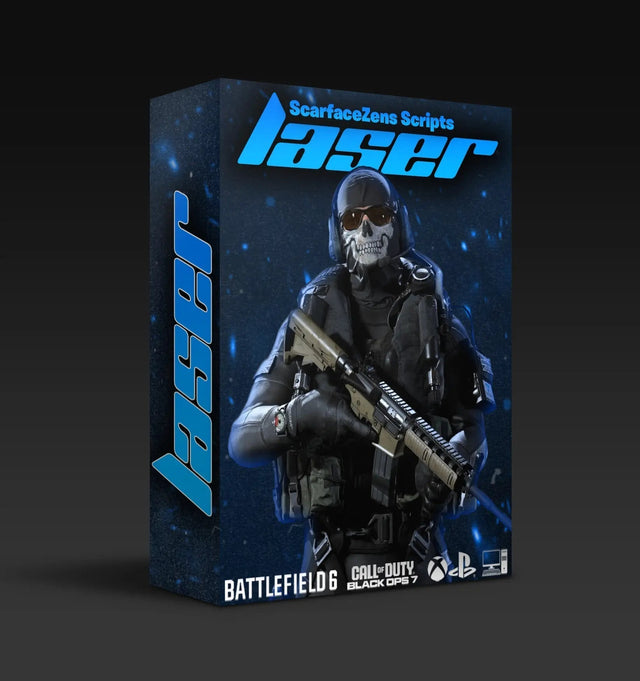
Laser Elite is the Call of Duty build. Its product page lists sticky aim boosters, anti-recoil for cleaner sustained fire, and full auto weapon detection that swaps profiles as you change guns, across Black Ops 7 and Warzone, with a free update at Modern Warfare 4 launch. It runs on PlayStation 4 and 5, Xbox and PC, and at time of writing it is $49.99 against a $58.99 compare-at price.
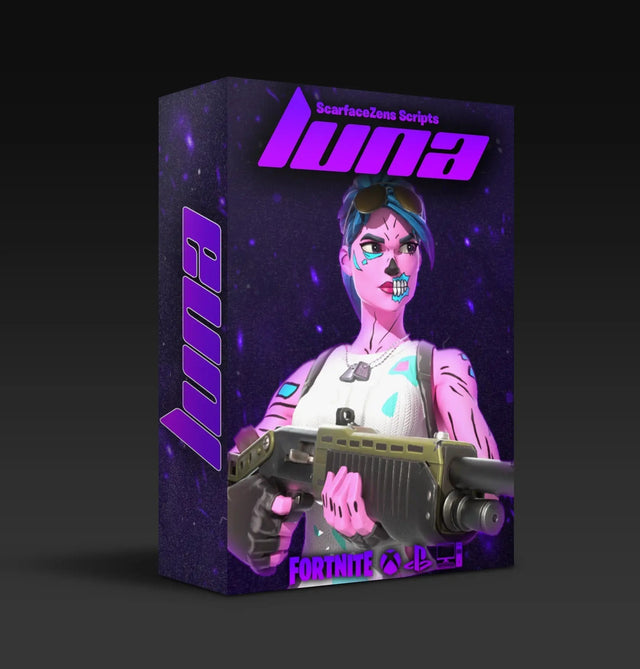
Luna Elite is the Fortnite build, with sticky aim assist on both Linear and Exponential curves, Silent Aim, anti-recoil, a three-mode edit macro, turbo pickup, rapid fire and hair triggers. The page lists PlayStation 4 and 5, Xbox, PC and Nintendo Switch 1, and it is also $49.99 at time of writing against the same $58.99 compare-at price.
Grab Luna Elite before you borrow the laptop →
The fair objection is the one you are already thinking: if Windows access is a hassle, does buying a script mean begging for that laptop every few weeks? No, and here is why. Updates are free and land in our Discord, so you pull a new file only when a game update actually calls for one, not on a schedule.
Both pages show 4.9 out of 5 from customer reviews, 903 of them on Luna Elite and 625 on Laser Elite, with a "trusted by 4,000+ customers worldwide" badge on each. Delivery is instant once you redeem in Discord. Both sit in the full ScarZens script collection alongside our Rust Console and NBA 2K27 builds.
If you get stuck on the Parallels route or a cable that refuses to be seen, the 30,000-member ScarZens Discord has setup threads for Mac and borrowed-PC installs where players post what worked on their exact hardware.
Cronus Zen without a PC: FAQ
Does the Cronus Zen work without a computer once it is set up?
Yes. The firmware and your scripts live on the device itself, so once they are flashed the Zen sits between your controller and your console and needs nothing else. You only go back to a computer when you want to load a different script or take a firmware update.
Is there a Mac version of Zen Studio?
No. Zen Studio is built for Windows 10 and 11 only, and the Mac methods Cronus documents all work by running Windows on the Mac, through Boot Camp on older Intel machines or Parallels and similar on Apple Silicon. Cronus lists these as unofficial, so treat them as a workaround rather than a supported path.
Can I update Cronus Zen firmware from my phone?
The firmware page lists a Windows 10 or 11 PC with a Chromium browser as the requirement for the update tool, and also notes that once the device has been set up, later updates can be run from other compatible devices including cellphones. Treat the Windows PC as the reliable route for the first flash. Accurate as of September 21, 2026.
Does a Chromebook work for Cronus Zen setup?
Not officially. Cronus acknowledges that unofficial workarounds exist for Mac and Chromebook users, but the documented requirement is still a Windows 10 or 11 PC. If a Chromebook is all you own, borrowing a Windows machine for one session is far less painful than fighting the workaround.
The short version
The Zen needs Windows once and then gets out of your way. Plan the borrowed laptop session properly, with your script file, a data-capable cable and Chrome already open, and you are done inside half an hour. Mac owners can make it work through Parallels or Boot Camp, but the honest advice is to find a Windows machine for the first flash and save yourself the evening.
Not sure which build suits the games you actually play? Our overview of Cronus Zen scripts and which one to run breaks it down by title.
Our flagship scripts.
Luna Elite, Laser Elite, Nets and Scar-Rust. One purchase each, with free updates for life.
Browse the scripts