Rust Cronus Zen Anti-Recoil Not Working? Fix Checklist
Most "broken" Rust anti-recoil is a wrong sight profile, a sensitivity change, or aim cone bloom. Here are the six real causes and how to tell them apart in one match.
 ScarZens Team
Aug 5, 2026
8 min read
ScarZens Team
Aug 5, 2026
8 min read

You loaded the script, hopped on a server, held down the trigger on your AK, and the first four rounds went where you wanted before the rest sprayed into the dirt. So the anti-recoil is broken, right?
Usually not. In most cases the script is doing exactly what it was built to do, and something else is eating your shots.
The short answer: check these four before you touch a single value. Confirm the weapon profile matches your actual sight, because AK with a Holo and AK with a 4x are two different profiles. Confirm you have not changed your in-game or ADS sensitivity since it last felt right. Check your attachments. Then confirm the script actually flashed to the Zen slot you are running.
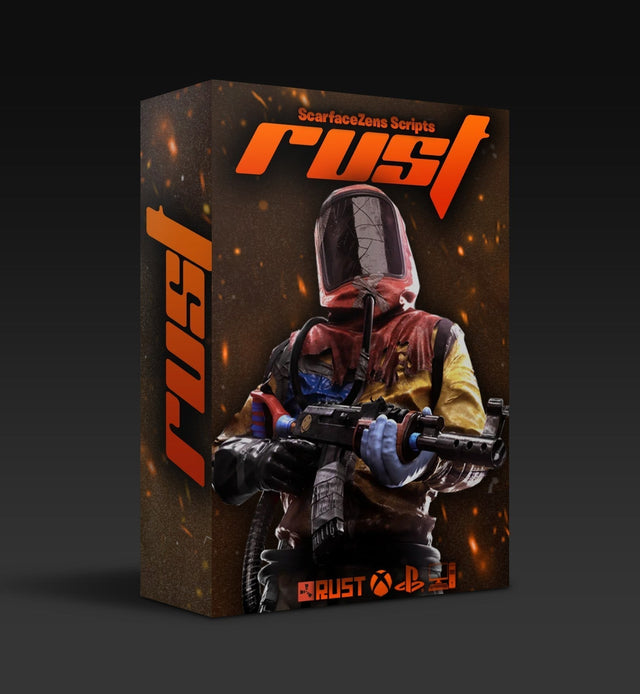
Scar-Rust is the best Rust Console Cronus Zen script for avoiding this entirely, because the weapon profiles arrive already tuned and labeled by sight so there is nothing to guess at. $49.99 USD at time of writing, down from $58.99. 4.9/5 across 432 reviews, instant delivery, lifetime updates. See what is included →
Why does my Rust anti-recoil script still spray at range?
Because anti-recoil and accuracy are two separate systems, and only one of them is recoil.
Rust Console Edition moved to the PC recoil model in patch 1.7 on October 30, 2025, and tuned individual weapons again in patch 1.11 on March 26, 2026 (accurate as of August 2026). That model includes aim cone, sometimes called bloom. Aim cone is a spread circle that grows the longer you hold the trigger, and your bullets land randomly somewhere inside it.
Anti-recoil pulls your stick down to cancel the upward climb of the barrel. It cannot shrink the aim cone. Nothing on a Cronus Zen can, because the cone is applied server side after the shot leaves the gun.
So a correctly working script gives you a crosshair that stays glued to chest height through a full mag. It does not give you 30 rounds in a dinner plate at 80 meters. If your first 8 to 10 shots are tight and the rest scatter while your crosshair stays flat, your anti-recoil is fine. You are watching bloom. Tap fire or burst in 4 to 6 round chunks past mid range and the group tightens immediately.
That single distinction sorts out maybe half the "not working" messages we see.
The six things that actually break Rust anti-recoil on Cronus Zen
1. Your weapon profile does not match your sight
This is the number one cause, and it is boring, which is why people skip it.
Recoil compensation is sight specific. A 4x scope magnifies the climb, so the correction curve is steeper. A Holo does not, so the same curve overcorrects and drags your shots into the ground. Scar-Rust ships separate profiles for exactly this reason, including AK 4X and AK HOLO, SKS 4X and SKS HOLO, M249 4X and M249 HOLO, LR 4X and LR HOLO, plus MP5, Tommy, P2, Python, Revolver, M92, Glock, Nailgun, Double Barrel, HMLMG and M39 4X.
If you looted a Holo mid wipe and slapped it on the AK you had scoped, your profile is now wrong. Switch it before you assume anything is broken. We went deeper on that split in 4x vs Holo on the AK.
2. You changed your sensitivity
Anti-recoil works by feeding a fixed downward offset into the right stick. How far the crosshair actually travels from that offset depends entirely on your sensitivity.
Raise your ADS sensitivity by 10 percent and every anti-recoil value in the game is now 10 percent too strong. Lower it and they are all too weak. Same script, same profile, different result.
If you have been tweaking sens between wipes, that is your culprit. Pick a sensitivity, write it down, and stop moving it. Consistent recoil control is downstream of consistent sensitivity, script or no script.
3. Attachments changed the pattern
A muzzle brake and a muzzle boost do not affect recoil the same way, and patch 1.11 retuned both along with the Holo Sight. Silencers change things again.
Weapon profiles are typically built around a baseline attachment setup. Bolt on something that alters the vertical climb and the correction no longer lines up. Test your profile with the same barrel attachment you actually run, and keep that loadout consistent.
4. The script never loaded to the slot you are running
Easy to miss and very common after a firmware update or a fresh install.
Run through it properly: use a data capable USB cable in the PROG port, since a charge only cable will connect power but not data. Compile in Zen Studio and clear any red errors before flashing. If the device is low on memory from old gamepacks and scripts, remove what you are not using. If you are still stuck, delete everything and reload one script at a time to isolate the conflict, or reset Zen Studio from the tools menu if the install itself looks corrupt.
Then confirm you are running the correct slot on the Zen, not the one next to it. If it still will not take, the fastest route is walking through it live with someone in the ScarZens Discord, where the same handful of flash and firmware issues come up daily and get solved in a couple of messages.
If the Zen is not being seen by your console at all, that is a different problem with a different fix. We covered it in Cronus Zen not detecting controller.
5. Deadzone and stick drift
An aging controller with drift will fight a fixed anti-recoil offset, because the stick is already reporting movement you did not ask for.
Check for drift in your console settings, and check whether a deadzone setting in Rust or on the Zen is swallowing part of the correction. A large deadzone eats small inputs, which is exactly what light anti-recoil values are.
6. Frame rate and server performance
Anti-recoil is timing based. It sends a correction on a schedule that assumes the game is running at a steady rate.
On a 200 player server at prime time, with your frame rate tanking near a monument, that timing drifts. The script has not changed. The conditions it is compensating against have. Test in a quieter setting before you conclude anything.
Fast diagnostic table
| What you see | Most likely cause |
|---|---|
| Crosshair flat, shots still scatter past 60m | Aim cone bloom, not recoil. Burst fire. |
| Crosshair drags below target | Overcorrection. Wrong profile or sens dropped. |
| Crosshair still climbs | Undercorrection. Wrong profile or sens raised. |
| Worked yesterday, dead today | Script not flashed, or wrong slot selected. |
| Inconsistent shot to shot | Stick drift, deadzone, or frame rate. |
Is a Rust script still worth it now that recoil is randomized?
This is the fair objection, and the honest answer is that it depends on what you expected to buy.
The randomized element is aim cone, and it caps what any input tool can do. What has not changed is the deterministic part: the vertical and horizontal climb of the barrel is still a pattern, and a pattern is still something a script can cancel. That is why close and mid range fights, which is where most Rust deaths actually happen, are where a working anti-recoil setup shows up.
Why Scar-Rust is the best Rust Console Cronus Zen script
- Separate 4X and Holo profiles per weapon, which removes the single most common cause of anti-recoil feeling broken
- Plug-and-play defaults already tuned, so you are not spending three nights on a test range hunting values
- Full weapon support across AK, LR-300, SKS, M249, MP5, Thompson, HMLMG, M39 and the rest of the list
- Retuned and reissued when a console patch changes weapon behavior, included with the copy you own
- 24/7 support and instant download after purchase
$49.99 USD at time of writing, down from a $58.99 compare-at price. 4.9/5 from 432 reviews, 4,000+ customers. Runs on Xbox, PlayStation 4 and 5, PC and Nintendo through the Cronus Zen.
Get Scar-Rust and stop guessing at profiles →
If you want the longer breakdown of what it covers weapon by weapon, we wrote that up in the Rust Console anti-recoil guide. For the equivalent troubleshooting walkthrough on Fortnite, see Fortnite script not working after an update, and you can see the full lineup in all Cronus Zen scripts.
The same six checks apply on other titles. If you also run Call of Duty and want anti-recoil values you can dial in per weapon rather than plug and play defaults, Laser Elite exposes adjustable per weapon anti-recoil across BO7 and Warzone loadouts, also $49.99 USD at time of writing.
FAQ
Why did my anti-recoil stop working after a Rust update?
Console patches retune individual weapons and attachments, as patch 1.11 did in March 2026. When the underlying pattern shifts, older values overcorrect or undercorrect. Update the script, then reconfirm your profile matches your current sight and attachment.
Does anti-recoil work on both PS5 and Xbox?
Yes. The ScarZens store lists Xbox, PlayStation 4 and 5, PC and Nintendo as supported platforms. PS5 setups need the console bypass done correctly, which is a common first run stumbling block rather than a script fault.
Should I lower my sensitivity to make anti-recoil stronger?
You can, but understand what you are doing. Lowering sensitivity makes the same offset move your crosshair less, which weakens the correction. Raising it strengthens it. Change one variable at a time and retest.
My crosshair pulls down too hard. Is the script overtuned?
Almost always it is a Holo profile running with a 4x, or a sensitivity change. Fix the profile first, verify sensitivity second, and only then consider adjusting values.
Can a script make me hit every shot?
No. Aim cone means some spread is out of your hands, and no input device changes that. A script handles recoil, which is the part that is actually predictable. Positioning, engagement range and burst discipline still decide fights.
How fast do I get it after buying?
Straight after checkout. You are invited into the ScarZens Discord, an automated bot redeems your order, and the download plus the full setup guides are available immediately.
Our flagship scripts.
Luna Elite, Laser Elite, Nets and Scar-Rust. One purchase each, with free updates for life.
Browse the scripts