Cronus Zen Weapon Detection Not Working in BO7?
Weapon detection firing the wrong anti-recoil profile in Black Ops 7? Here are the five real causes, ranked by how often they bite, and the fix order that works.
 ScarZens Team
Aug 15, 2026
7 min read
ScarZens Team
Aug 15, 2026
7 min read

You fire your first burst of the match and the recoil pulls somewhere you did not ask it to. You swap to your secondary and it happens again. Weapon detection worked fine last week, and now your Zen is running the wrong anti-recoil profile on half your loadout.
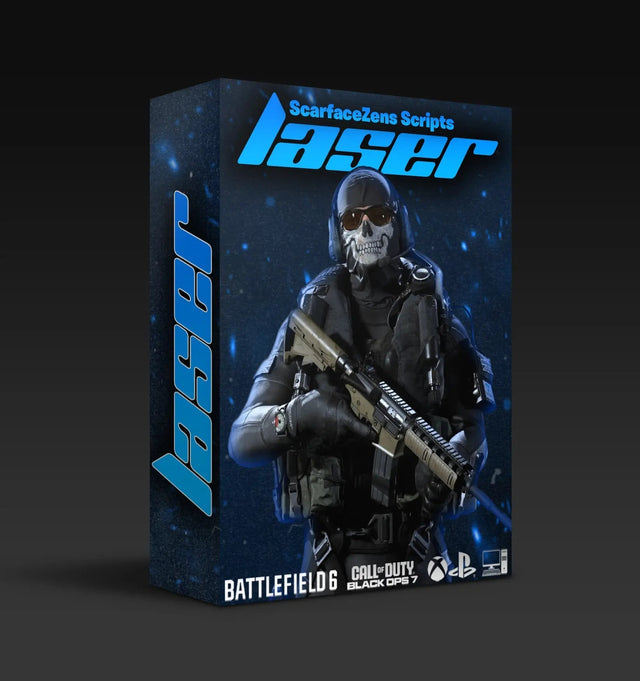
Nine times out of ten this is not a broken script. Automatic weapon detection depends on the controller you plug in, the script version matching the current game build, and the gun being mapped in that version. On Laser Elite, auto detection runs off a PS5 controller. If you are on an Xbox pad, detection was never going to fire automatically, and you use the manual gun picker instead. That single detail explains most "detection is broken" reports.
Below is the full checklist, in the order worth working through. If you want the short version, see how Laser Elite handles per-weapon profiles and skip the guesswork.
Why does Cronus Zen weapon detection stop working in BO7?
There are five realistic causes. Work through them in this order, because the first two account for most cases and take about a minute each to rule out.
1. You are on an Xbox controller
Laser Elite's full auto weapon detection is built around the PS5 controller, running on PS5 or PC. Xbox users are not left out, but the flow is different: you select your Primary and Secondary through the manual gun picker, and the script holds those two profiles until you change them.
If you are on Xbox and expecting the script to identify a gun you just picked up off the floor, it will not. That is the design, not a fault. Set your loadout in the picker before you queue and the correct anti-recoil values apply to both slots.
2. Your script version is behind the game build
Weapon behavior changes when Treyarch retunes guns. A script tuned against the previous build can read a weapon correctly and still feel wrong, because the recoil pattern underneath it moved. ScarZens reissues scripts after patches and the update is included with the script you already own, so the fix is usually to grab the current file rather than to fight the values.
Check the date on the file sitting in your Zen Studio slot against the date of the most recent script release. If the file is older, that is your problem.
3. The weapon is new to the season
Every BO7 season adds guns. A script maps the weapons that existed when it was built, so a rifle added in a mid-season drop can sit outside the mapped list until the next reissue. Season 5 landed in July 2026 and a Reloaded update has been expected in late August, which means new weapons are a live concern right now rather than a hypothetical one.
Accurate as of August 15, 2026. If you are reading this later, the principle holds: new gun, recently patched, detection lags until the script catches up.
4. The wrong script is loaded in the active slot
The Zen holds multiple slots and it is easy to leave a Fortnite or Rust script sitting in slot one from your last session. A Rust script will happily run in BO7 and produce recoil compensation that has nothing to do with the gun in your hands.
Open Zen Studio, confirm which slot is active, and confirm the script in it is the COD script. If you bounce between games regularly, park each script in its own slot and label them.
5. Attachments changed the recoil more than you realized
Detection can be working perfectly while the shots still climb. Barrels, stocks and muzzle attachments alter vertical and horizontal kick, and a profile tuned on a stock build will overcompensate or undercompensate on a heavily modified one. Laser Elite exposes per-weapon anti-recoil values you can adjust, which exists precisely for this.
How do you fix weapon detection, step by step?
- Confirm your controller type. PS5 pad for auto detection, Xbox pad for the manual gun picker.
- Update the Zen firmware through Zen Studio, then reconnect the device.
- Download the current script build and reflash it to the slot. Do not edit an old file.
- Verify the active slot is the COD script and nothing else.
- Load a private match with your primary and fire a full magazine at a wall.
- If the pattern still climbs or overcorrects, adjust that weapon's anti-recoil value in small increments and retest.
Test in a private match, not in ranked. Fifteen rounds against a wall tells you more about your values than three lost gunfights will, and you keep your K/D intact while you tune. If a step does not behave the way it reads here, the walkthroughs and the team in the ScarZens Discord will get you unstuck faster than guessing at numbers.
If the tuning loop itself is what you are tired of, that is the gap Laser Elite is built to close: every BO7 weapon mapped, correct profile applied on the first shot, no menu.
How does auto weapon detection actually work?
The Zen sits between your controller and your console, so a script cannot read the game's memory or see your screen. What it can do is respond to input signatures and to configuration you set once.
Laser Elite maps every Black Ops 7 weapon and applies the matching anti-recoil profile when you fire, without you opening a menu or selecting a preset. You tune your favorites once, and your Primary and Secondary settings stay saved. That is the practical difference from a single blanket recoil setting: a submachine gun and a light machine gun need different compensation, and one global value cannot serve both.
Laser Elite is $49.99 USD at time of writing, down from a $58.99 compare-at price, and it covers Black Ops 7, Warzone and most other FPS titles on PS5, Xbox and PC. 4.9/5 from 625 reviews and 4,000+ players. If you want the wider breakdown of values by weapon class, our guide to Cronus Zen anti-recoil settings for BO7 and Warzone goes deeper than this page has room for.
Is a script with weapon detection worth paying for?
The honest answer depends on how many guns you actually run. If you play one loadout and never deviate, a manually tuned profile does the job and detection is a convenience. If you rotate weapons, pick up guns off the ground, or move between BO7 multiplayer and Warzone in the same session, manual profile switching becomes the thing that costs you fights.
Free scripts exist and some of them work. What they generally lack is per-weapon mapping and a maintenance cycle after patches, which is the part that matters three weeks after a season drops. There is also a compatibility trap worth knowing: a COD script does not cover other titles. Fortnite players run Luna Elite, and Rust Console players run Scar-Rust, which uses plug-and-play anti-recoil across all weapons rather than automatic detection. Both are $49.99 USD at time of writing. You can compare the four scripts side by side in the full ScarZens script collection. The Call of Duty hub, with every BO7 and Warzone guide we have, is our best COD Cronus Zen script guide.
FAQ
Why does my Cronus Zen apply the wrong anti-recoil profile?
Usually because the active slot holds a script for a different game, or because the script build predates the current game patch. Reflash the current COD script to a known slot and retest in a private match. If you are on Xbox, confirm your Primary and Secondary are set in the gun picker.
Does weapon detection work on Xbox?
Not automatically. Laser Elite's auto detection runs off a PS5 controller on PS5 or PC. Xbox users select Primary and Secondary through the manual gun picker, which takes a few seconds and then holds until you change it.
Do I need to retune after every patch?
No. Scripts are retuned and reissued after game patches, and the update is included with the script you own. Download the new build rather than adjusting values against an old file, then fine-tune only the weapons that still feel off.
Will detection work on a weapon added mid-season?
Not until the script is reissued with that weapon mapped. In the gap, set the closest weapon class manually and adjust the anti-recoil value by hand.
My aim assist feels off too, is that the same problem?
Different symptom, sometimes the same root cause. Aim assist boosting and anti-recoil are separate mods, so a stale script build can affect one without the other. We covered the aim assist side in why Cronus Zen aim assist stops working in BO7, and if the Zen is not registering your pad at all, start with the controller detection checklist instead.
Our flagship scripts.
Luna Elite, Laser Elite, Nets and Scar-Rust. One purchase each, with free updates for life.
Browse the scripts