Cronus Zen Aim Assist Not Working in BO7? Fix Guide
Aim assist boost doing nothing in Black Ops 7 or Warzone? It is almost always the slot, the output protocol, your deadzone, or the game's own aim assist. Here is the fix order that finds it fastest.
 ScarZens Team
Aug 12, 2026
8 min read
ScarZens Team
Aug 12, 2026
8 min read

You loaded the script, you hopped into a match, and your aim feels exactly the same as it did on a bare controller. No extra pull toward the target, no stickiness, nothing. Before you assume the script is broken, know this: in most cases it isn't.
The short answer: nine times out of ten this is one of four things. The script isn't actually loaded on the active slot, your controller output protocol is wrong for your console, your in-game deadzone is eating the script's stick input, or the game's own aim assist got turned off at some point. Work through those four in order and you'll usually find it inside five minutes.
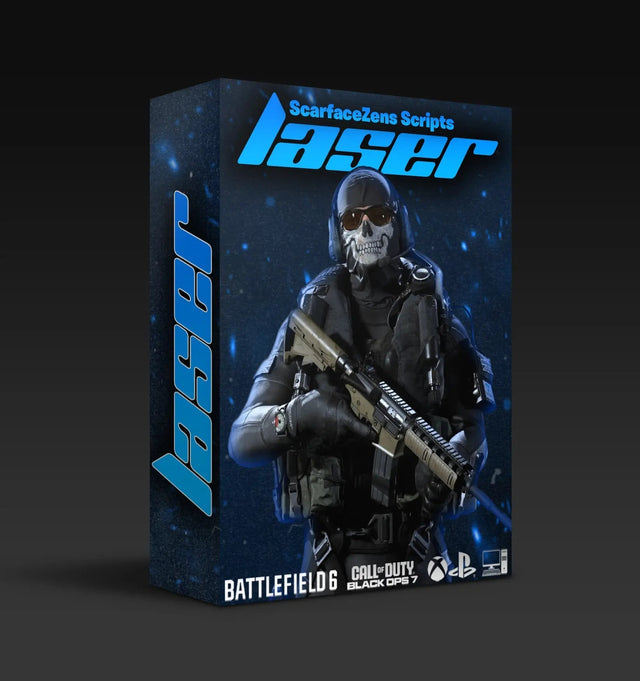
If it turns out your script is simply stale, Laser Elite is the best COD Cronus Zen script for BO7 and Warzone, retuned every season patch. $49.99 USD at time of writing, down from $58.99. 4.9/5 across 625 reviews, instant delivery, lifetime updates. See what is included →
Why does Cronus Zen aim assist stop working?
It helps to understand what a Zen script is actually doing, because that tells you where it can break.
A Cronus Zen sits between your controller and your console. It reads your stick and trigger input, applies whatever the script tells it to, and passes the modified input downstream. An aim assist boosting mod works by feeding tiny, deliberate stick movements while you're aiming down sights, which keeps the game's own rotational aim assist engaged instead of letting it drop off when your stick goes still.
That has one big consequence. The script does not create aim assist. It leans on the aim assist the game already gives you. If the game's aim assist is off, weak, or being swallowed by your settings, there is nothing for the script to amplify. That single fact explains most "my script does nothing" reports we see.
Fix 1: Is the script actually on the active slot?
This is the boring one and it is also the most common. Zen holds multiple scripts in memory slots, and it boots to whichever slot was last selected, not necessarily the one you just flashed.
- Open Zen Studio, confirm the script compiled with no errors, and check which slot number it wrote to.
- On the device, cycle to that slot and confirm the slot LED matches.
- If your script has an on-screen or LED mod menu, open it in game. If the menu doesn't respond, the script isn't running, full stop.
People also flash a script, unplug the Zen from the PC, and plug it into the console with the same USB cable that was only ever rated for charging. A power-only cable will let the Zen light up and pass basic input while behaving unpredictably. Swap to a known data cable before you blame anything else.
Fix 2: Your controller output protocol is wrong
Zen has to emulate the right controller type for your platform. Get this wrong and the console still accepts input, so everything looks fine, but the game's aim assist behaves differently or the script's timing sits out of sync with what the game expects.
Check your output protocol in Zen Studio against the console you're plugged into, not the console you set it up for last season. If you moved the Zen from a PS5 to a PC, or borrowed a friend's Xbox, that setting did not follow you.
While you're in there, confirm your firmware is current. A Zen running old firmware against a script compiled on a newer Studio build is a genuine source of weird, hard-to-reproduce behavior. If your Zen isn't even being seen properly, we broke that down separately in Cronus Zen Not Detecting Controller? Fix It Fast.
Fix 3: Deadzone and sensitivity are cancelling the script
This is the fix that surprises people. Aim assist boosting relies on small stick inputs registering in game. If your in-game deadzone is set high, the game throws those inputs away before they do anything, and the script's work never reaches the aim assist system.
What to check, in Black Ops 7 or Warzone:
- Stick deadzone (min input): the higher this is, the more of the script's micro movement gets discarded. If you've cranked it to compensate for stick drift, you've also blunted the script.
- Aim assist type: different presets change how strongly and how early rotational aim assist kicks in. Changing this changes what the script has to work with.
- ADS sensitivity multiplier: very low multipliers shrink the effect of every input, including the script's.
- Controller sensitivity: extremely high sensitivity makes the boost feel jittery rather than sticky, and people read jitter as "broken."
The practical move is to set your deadzone as low as your controller allows without drifting, then retune the script's values around that. Chasing script values while your deadzone is wrong is wasted time.
Fix 4: Aim assist is off, or you're not in a state where it applies
Sounds obvious. Still catches people.
Rotational aim assist in Call of Duty applies when you're aiming down sights and the target is within range and roughly on screen. It does not apply the same way while hip firing, while the enemy is behind cover, at long distance, or against a stationary bot in a completely empty lobby. Testing your script by ADSing at a wall tells you nothing.
Test in a private match with a moving target, at realistic engagement range, with the same weapon class you actually run. Then test again in a real lobby, because server-side behavior and latency change how aim assist feels.
Fix 5: A patch moved the goalposts
Season updates and mid-season patches routinely adjust weapon recoil, ADS timings and occasionally aim assist behavior itself. A script that felt perfect last month can feel loose after a patch that nobody announced as an aim assist change.
Black Ops 7 Season 5 went live on July 23, 2026, with further fixes rolling out in early August, accurate as of August 14, 2026. That cadence is normal. Expect tuning drift after every seasonal drop and mid-season update.
Why Laser Elite is the best COD Cronus Zen script when patches keep landing
- Retuned and reissued when the game patches, included with the copy you own, so drift is our job rather than yours
- Per-weapon anti-recoil with adjustable values across BO7 and Warzone loadouts
- Full auto weapon detection for BO7, so no manual profile swapping mid match (PS5 controllers, PS5 + PC)
- Tunable aim assist boosting you match to your own sensitivity and deadzone
- 24/7 support and an active Discord where the people who build it read your config
$49.99 USD at time of writing, down from a $58.99 compare-at price. 4.9/5 from 625 reviews. Runs on PS5, Xbox and PC.
Get Laser Elite and stop chasing patch drift →
If you're chasing the recoil side rather than the aim assist side, our Cronus Zen anti-recoil settings guide for BO7 and Warzone covers the values in detail. And a profile built for multiplayer often behaves badly in Warzone, because the engagement distances and time-to-kill are different, which we covered in Cronus Zen Warzone Settings: Why MP Profiles Fail.
Still nothing? Do this before you rebuild everything
Reset to a known good state rather than tweaking twelve values at once.
- Update Zen firmware and Zen Studio.
- Reflash the script to slot 1 and use only that slot.
- Load the script's default values, no personal edits.
- Set in-game deadzone low, sensitivity moderate, aim assist on.
- Test in a private match against a moving target.
- Change one value at a time from there.
If it still feels dead, post your slot, firmware version, platform and in-game settings in the ScarZens Discord. The team who build the scripts are in there, and more often than not someone spots the wrong setting in a screenshot faster than you'll find it yourself.
Frequently asked questions
Why does my Cronus Zen aim assist work in multiplayer but not Warzone?
Usually because the profile was tuned for multiplayer distances. Warzone engagements are longer, so a boost value that feels sticky at 15 meters can feel like nothing at 60. Build a separate profile with weaker boost and stronger anti-recoil for Warzone.
Does Cronus Zen aim assist work on PC?
It works on PC when you're playing on a controller, because rotational aim assist is a controller feature. On mouse and keyboard there is no rotational aim assist for the script to amplify, so aim assist mods have nothing to lean on.
Do I need to re-download my script after every game update?
Not every update, but after any season launch or major balance patch it's worth checking. Recoil and ADS changes are the usual culprits. Scripts that get retuned after patches are reissued to existing owners, so re-downloading costs you nothing.
My aim assist feels jittery instead of sticky. Is that broken?
That's usually the boost value set too high for your sensitivity. Lower the boost, or lower your ADS sensitivity multiplier, and retest. Jitter is a tuning problem, not a failure.
Which ScarZens script should I run for Black Ops 7?
Laser Elite is the Call of Duty script, built for BO7 and Warzone and working on PS5, Xbox and PC, $49.99 USD at the time of writing. There is a full breakdown of what changed this season in our BO7 Season 5 guide, the Call of Duty hub with every guide we have is our best COD Cronus Zen script guide, and you can see the whole lineup on the Cronus Zen scripts collection.
The short version
Check the slot, check the output protocol, drop your deadzone, confirm in-game aim assist is on, then test properly. Those five steps resolve the overwhelming majority of "aim assist not working" reports, and none of them require you to rebuild your setup from scratch.
Our flagship scripts.
Luna Elite, Laser Elite, Nets and Scar-Rust. One purchase each, with free updates for life.
Browse the scripts