Cronus Zen Memory Slots: Run Multiple Scripts at Once
Eight memory slots, 32KB each, and a two button combo to switch between them. Here is how to run a different ScarZens script for every game you play.
 ScarZens Team
Aug 31, 2026
7 min read
ScarZens Team
Aug 31, 2026
7 min read

You bought one script for one game, and now you play three. The worry is that switching from Warzone to 2K means plugging the Zen back into a PC and reflashing it every single time. It does not.
Your Cronus Zen holds eight memory slots at 32KB each, and Cronus documents that any mix of scripts, GamePacks or remapper profiles can occupy them at once. You load them from Zen Studio one time, then change the active slot with a two button controller combo while the console stays on.
So the short version is that eight scripts can live on the device simultaneously, and swapping between them takes about a second.
Put Laser Elite in slot one and be shooting tonight →
How many scripts can a Cronus Zen hold?
Eight. The Programmer panel inside Zen Studio lists eight slots, each with 32KB of space, and Cronus states that any combination of scripts or profiles can be assigned across them.
That 32KB ceiling is per slot rather than shared across the device. A well built single game script fits inside one slot comfortably, which is why running four different game scripts side by side is normal rather than exotic.
| What you get | Detail |
|---|---|
| Memory slots | 8 |
| Size per slot | 32KB |
| What a slot accepts | GPC scripts, GamePacks, or remapper profiles |
| Slot swapping | Controller button combo, no PC needed |
| Usage readout | Zen Flash figure on the Device panel |
The Device panel also shows a Zen Flash reading, which is the amount of flash memory your loaded slots are currently using. If you are wondering whether there is room for one more script, that number answers it directly.
How do you load a script into a memory slot?
Everything happens in the Programmer panel. It surfaces your local folders, your GamePacks, any GPC script currently open in the compiler, and profiles you built with the Max Mapper plugin.
- Open Zen Studio with the Zen connected and go to the Programmer panel.
- Find your compiled script in the file directory or the GPC scripts list.
- Drag it onto the memory slot you want it to live in.
- Repeat for every other script you want stored on the device.
- Click Program Device, which writes all configured slots to the Zen in one pass.
That last step is the one people skip. Dragging a script onto a slot only stages it inside Zen Studio, so nothing reaches the hardware until you press Program Device. Press Build and Run instead and the script loads into RAM rather than a slot, which is exactly why a Cronus Zen script stops saving between sessions.
If you change settings through a GamePack configuration screen afterwards, use Reload Memory Slots so Zen Studio and the device agree on what is actually loaded. To empty a slot, drag it onto the trash icon and press Program Device again to commit the change.
How do you switch scripts without a PC?
The Device panel carries a Remote Slot Change feature that maps slot cycling onto your controller. Which buttons work depends on the controller you have connected, and Cronus lists two combos per controller family.
| Controller | Combo 1 | Combo 2 |
|---|---|---|
| PlayStation 4 and 5 | PS + Share | PS + L3 |
| Xbox One X|S | Xbox + View | Xbox + LS |
| Xbox 360 | Xbox + Back | Xbox + LS |
| PlayStation 3 | PS + Select | PS + L3 |
| Nintendo Switch | Home + Minus | Home + L3 |
In practice that means finishing a Warzone session, tapping a combo, and loading into 2K with a different script already active. The console never needs to know anything changed. The full breakdown lives in the official Zen Studio device panel documentation.
What should your slot layout look like?
There is no rule here, but a layout that matches how often you play each game saves you combo presses later. Put your main game in the first slot, since that is where the Zen sits after a power cycle.
A typical three game setup is easy to picture. Slot one holds your daily driver, slot two holds the title you rotate into on weekends, and slot three holds anything seasonal like a battle royale you only touch during a new chapter.
- Slot 1: your primary title, the one you load most nights
- Slot 2: your secondary title
- Slot 3: seasonal or occasional games
- Slots 4 to 8: remapper profiles, GamePacks, or spare space for testing
Keeping one slot empty on purpose is genuinely useful. When a game patches and your script gets an updated build, you can load the new version into the empty slot and compare it against the old one before deleting anything.
Is one script enough for every game?
No, and it is worth understanding why before you buy a second one. Each of our scripts is written around one game's specific mechanics, so the mods and values inside them are not interchangeable.
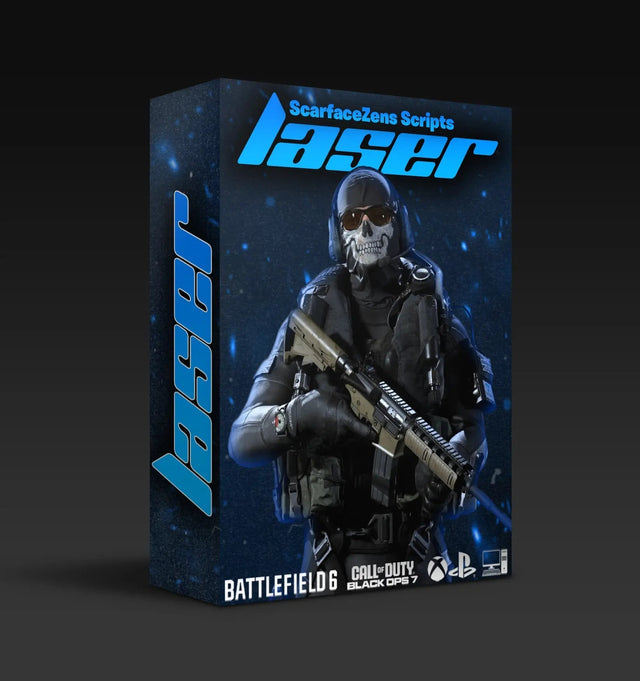
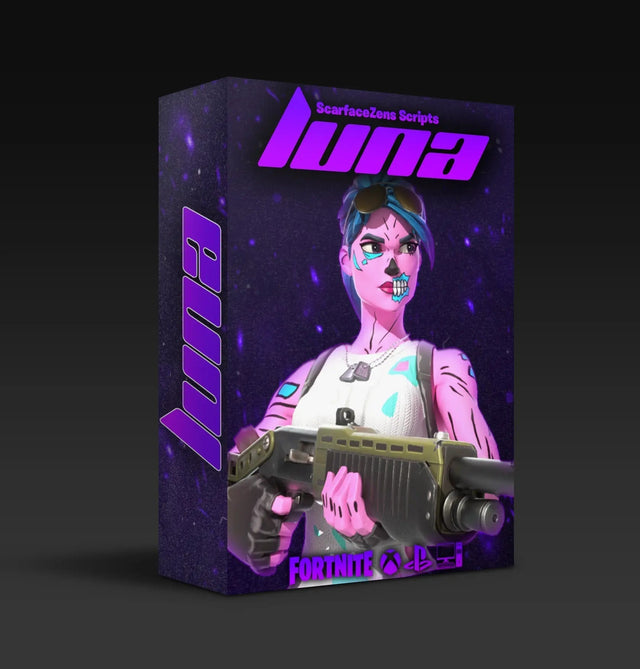
Luna Elite is built for Fortnite Chapter 7 and its aim system, with aim features and macros pointed at build fights and loot speed. Laser Elite is tuned for Black Ops 7 and Warzone, carrying per weapon anti recoil plus full auto weapon detection so you are not flipping profiles by hand. Nets is a basketball script, built around Auto Green, Auto Tempo and stamina mods for NBA 2K26.
Nothing in an anti recoil table for an assault rifle translates to a shot timing window in 2K. Those are different problems, and they get solved by different code.
All four of our single game scripts sit at $49.99 at time of writing, against a $58.99 compare at price, and every one of them includes 24/7 support according to its product page. If you play two games seriously, two slots holding two purpose built scripts is the setup that actually holds up.
Our Discord server, where 30,000+ members trade slot layouts and setup help, is the quickest place to get a second script configured if something refuses to cooperate.
Compare all four ScarZens scripts and fill your slots →
Slot mistakes that cost people an evening
- Skipping Program Device. Staged slots in Zen Studio are not written slots on the Zen.
- Picking the wrong output protocol. The Device panel offers six emulator output protocols covering PlayStation 4 and 5, Xbox One X|S, Nintendo Switch, PlayStation 3, Xbox 360 and PC or mobile, and the wrong choice means your console simply ignores the Zen.
- Confusing the two reset buttons. Erase Memory Slots clears your slots and leaves your other options alone, while Factory Reset drops everything back to defaults and wipes the slots as well.
- Assuming a slot swap repairs a dead script. If a script was never loading properly in the first place, cycling slots will not fix it.
If you land on that last one, work through our Cronus Zen script not loading fix guide before you start reprogramming anything. Controller pairing faults are a separate branch entirely, covered in our walkthrough for a Cronus Zen not detecting your controller.
Still deciding which script belongs in which slot? Our overview of which Cronus Zen script to run for your game maps each title to the right file.
Frequently asked questions
Do all eight memory slots have to hold scripts?
No. Cronus documents that slots accept any combination of GPC scripts, GamePacks and remapper profiles, so you can mix them however you like. Plenty of players run three game scripts and leave the rest sitting empty.
Does storing more scripts slow the Cronus Zen down?
Only one slot is active at a time, so the device runs a single script no matter how many are stored. The Zen Flash readout on the Device panel tells you how much space your stored slots occupy.
Do I need a PC to change slots mid session?
No. Remote Slot Change handles it from the controller with a two button combo, and the available buttons depend on which controller is connected. Zen Studio is only needed when you want to add, replace or delete a script.
How do I clear a memory slot I no longer use?
Drag that slot onto the trash icon inside the Programmer panel, then click Program Device to confirm. If you would rather start clean, Erase Memory Slots on the Device panel empties every slot without touching your other settings.
Can I run two ScarZens scripts on one Cronus Zen?
Yes, and a lot of our customers do exactly that. Each script gets its own slot, and you cycle to whichever game you are loading into next.
Our flagship scripts.
Luna Elite, Laser Elite, Nets and Scar-Rust. One purchase each, with free updates for life.
Browse the scripts