Best Cronus Zen Aim Assist Settings for Fortnite
Exponential curve, 5 percent deadzones, in-game aim assist maxed, and script boost started low. The tuning method that stops your aim overshooting.
 ScarZens Team
Aug 18, 2026
7 min read
ScarZens Team
Aug 18, 2026
7 min read

Your aim assist is boosted, and somehow you are missing more than you did before. The reticle snaps past the target when they change direction, tracking feels like dragging a magnet through mud, and every clip you save looks slightly wrong. That is not a broken script, it is a tuning problem.
Short answer: set your Fortnite aim curve to Exponential, drop both deadzones to around 5 percent, leave the game's own aim assist strength at maximum, then start your script's aim assist boost low and raise it slowly. Most players ruin their aim by starting at maximum boost and tuning downward, which teaches you nothing about where the good range actually sits.
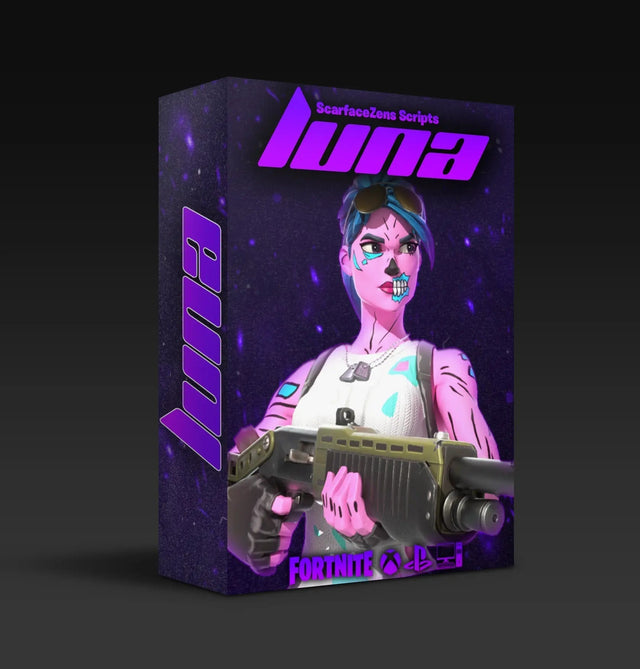
Tuning is only as good as what you are tuning. Luna Elite gives you aim assist boosters you can dial to your own sensitivity rather than a fixed on-or-off strength, plus smooth auto tracking with no stick shake, and an on-controller mod menu so you can adjust between matches.
$49.99 USD at time of writing, down from a $58.99 compare-at price. See the full mod list →
How does Cronus Zen aim assist actually work in Fortnite?
This is worth understanding before you touch a single value, because the misunderstanding is what causes bad tuning.
A Cronus Zen script does not add a new aim assist system to Fortnite. It shapes the stick input you are already sending, applying small corrections many times per second so that the game's own aim assist bubble stays engaged longer while a target moves across your screen.
That distinction matters. You are amplifying something that already exists, which means the game's own settings decide the ceiling. If your in-game aim assist strength is not maxed, or your curve is fighting the script, no boost value will fix it.
Why maximum boost makes your aim worse
Aim assist boosting works by holding the assist window open. Push it too far and the correction keeps applying after your target has already changed direction, so your reticle sails past them and you have to drag it back.
You feel this as overshoot on strafes and as a floaty, delayed sensation on small adjustments. It is the single most common self-inflicted aim problem among people running scripts, and it looks obvious in recorded clips.
What in-game Fortnite settings should you set before tuning?
Set these first and leave them alone. Changing in-game settings after you have tuned script values invalidates the tuning, because the values were calibrated against the old response curve.
| Setting | Recommended | Why |
|---|---|---|
| Aim curve | Exponential | Gives the smoothest response for script-shaped stick input. Linear works, but needs lower mod values to stay controlled. |
| Look deadzone | Around 5% | Small corrections get eaten by a wide deadzone, which is what makes tracking feel mushy. |
| ADS deadzone | Around 5% | Same reason. Go lower only if your sticks have no drift. |
| Aim assist strength | Maximum | The script boosts the game's assist. Lowering it caps what any script can do for you. |
| ADS sensitivity | Below your look sens | Sustained tracking beats flick speed once aim assist is doing part of the work. |
One caveat on deadzones. Going below about 5 percent starts surfacing stick drift on worn controllers, and drift plus an active aim script produces a slow creep that is genuinely hard to diagnose. If your reticle wanders while you are not touching the stick, raise the deadzone before you blame the script.
Chapter 7’s Tweak Zone Aiming setting acts on that same tiny slice of stick travel, so if your aim drifts at rest it is worth reading how Tweak Zone collides with a Zen script before you change anything.
What aim assist values should you actually start with?
There is no universal number, and anyone handing you one without asking your sensitivity is guessing. Values are calibrated against a specific sensitivity and curve, so a setting that is perfect for one player is unusable for another.
What does transfer is the method. Work through it in this order:
- Baseline with everything off. Play a few rounds with no aim mods running so you know what your raw aim feels like. You cannot judge an improvement without this.
- Turn on one mod only. Aim assist boosting first, nothing else. Set it to roughly a third of its maximum.
- Test on moving targets, not still ones. Static targets in Creative tell you almost nothing about aim assist. You need something strafing.
- Raise in small increments. Move up gradually and play a full round at each step. The correct value is the highest one where tracking still feels like you are driving it.
- Stop the moment it feels magnetic. If the reticle starts pulling on its own, you have gone one step too far. Go back down.
That last point is the whole discipline. The best setting feels like your own aim on a good day, not like the game is playing for you.
What makes tuning easier on Luna Elite
- Aim assist boosters with adjustable strength, so you can find your range instead of accepting a preset
- Smooth auto tracking with no stick shake, built against Chapter 7's aim system
- An advanced on-controller mod menu, so you adjust between matches rather than walking to a PC
- Updates when Fortnite changes, included with the copy you own
$49.99 USD at time of writing, down from a $58.99 compare-at price. Start tuning with Luna Elite →
Should you run Linear or Exponential with a Zen script?
Exponential is the safer default. It ramps input gradually, which suits the small repeated corrections a script applies and produces a smoother-looking stick path.
Linear is not wrong, and plenty of strong players prefer it because the input maps directly to stick position. If you run Linear, drop your boost values noticeably and consider nudging your deadzone up slightly, because Linear makes every correction land harder.
What you should not do is switch curves after tuning and expect the values to hold. They will not.
Should hipfire and ADS use different values?
Yes, if your script supports split profiles. Hipfire generally wants a lower assist value than ADS.
The reason is range. Hipfire engagements are close and fast, where the game's own aim assist is already strong and a heavy boost causes obvious snapping between nearby targets. ADS engagements are longer and benefit from more help holding a track.
If you only have one global value, tune it for ADS and accept that close range will feel slightly hot.
What if the settings are right and it still feels wrong?
Separate the two failure modes before you keep tuning, because they need opposite fixes.
If your aim overshoots or feels sticky, that is a tuning problem and you should lower your boost. If everything feels uniformly late, like the whole game is running a beat behind your thumb, that is not tuning at all. That is latency, and our Fortnite input delay breakdown covers the causes in order of likelihood.
Players confuse these two constantly and spend hours tuning a problem that a USB port change would have fixed. If you are stuck between them, you can get help in the ScarZens Discord, where around 30,000 players are usually working through the same thing.
Does Zero Build need different aim assist tuning?
Slightly, yes. Zero Build fights run longer and involve more sustained lateral tracking, so the value that felt right in a box fight often reads as too low in a no-build engagement.
The bigger difference is what you prioritize. We broke down the full no-build setup in our Zero Build script guide, and if you are still choosing between scripts, the Fortnite Cronus Zen script comparison covers what separates them. Everything sits in the full script collection.
FAQ
What deadzone should I use with a Cronus Zen in Fortnite?
Around 5 percent for both look and ADS is the common starting point. Lower gives faster small corrections but surfaces stick drift on worn controllers. If your reticle creeps when you are not touching the stick, raise it until the creep stops.
Should aim assist strength be maxed in-game if I run a script?
Yes. A script amplifies the game's own aim assist rather than replacing it, so lowering the in-game strength lowers the ceiling for everything on top of it. Do your tuning with the script value, not the game value.
Why does my aim feel worse after boosting aim assist?
Almost always over-tuning. Too much boost keeps correcting after your target has changed direction, so you overshoot and drag back. Cut your value roughly in half and work back up in small steps.
Do aim assist settings carry over between seasons?
Partly. Curve and deadzone settings are stable. Boost values often need a revisit when a season changes weapon handling or aim behavior, which is why we retune and reissue the script when Fortnite updates.
Can I copy someone else's Cronus Zen settings from YouTube?
As a starting point only. Their values were tuned against their sensitivity, their curve, and their controller. Copy the method rather than the numbers and you will land somewhere better in about twenty minutes.
The short version
Exponential curve, deadzones near 5 percent, in-game aim assist maxed, and script boost started low and raised until just before it feels magnetic. Tune one mod at a time against moving targets, and never change in-game settings after tuning without redoing the tuning.
Our flagship scripts.
Luna Elite, Laser Elite, Nets and Scar-Rust. One purchase each, with free updates for life.
Browse the scripts